Creative subscriptions
keep stacking up.
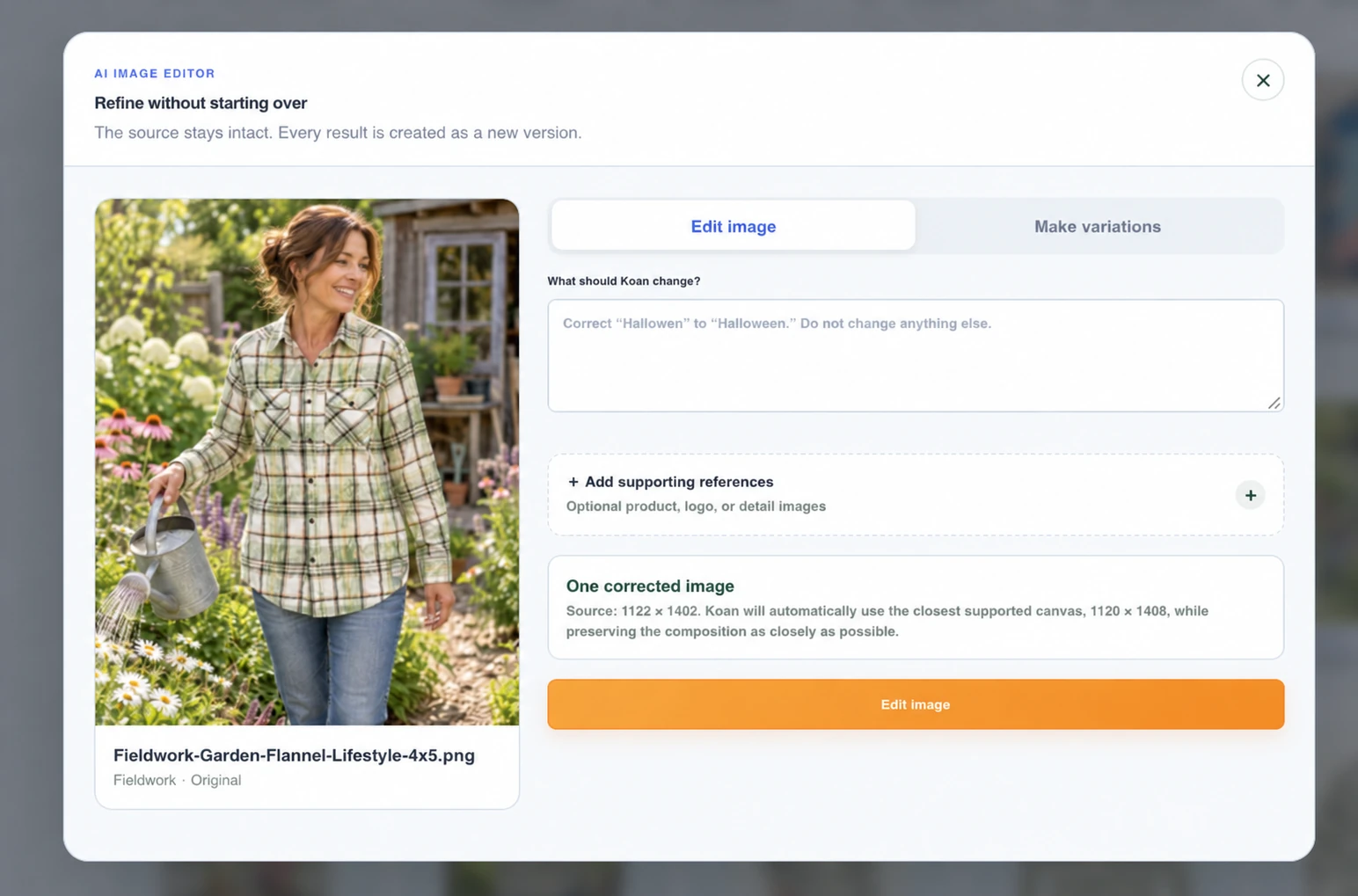
Create and edit images, make video and develop copy inside Koan. Handle more of the everyday creative work in one place.
Koan helps ecommerce agencies create on-brand campaigns, get client approvals, publish ads to Meta and use performance data to plan what comes next—all without juggling disconnected tools.
Fewer scattered assets. Less approval chasing. More time to improve your clients’ campaigns.
Request early accessSee how the work connects Inside Koan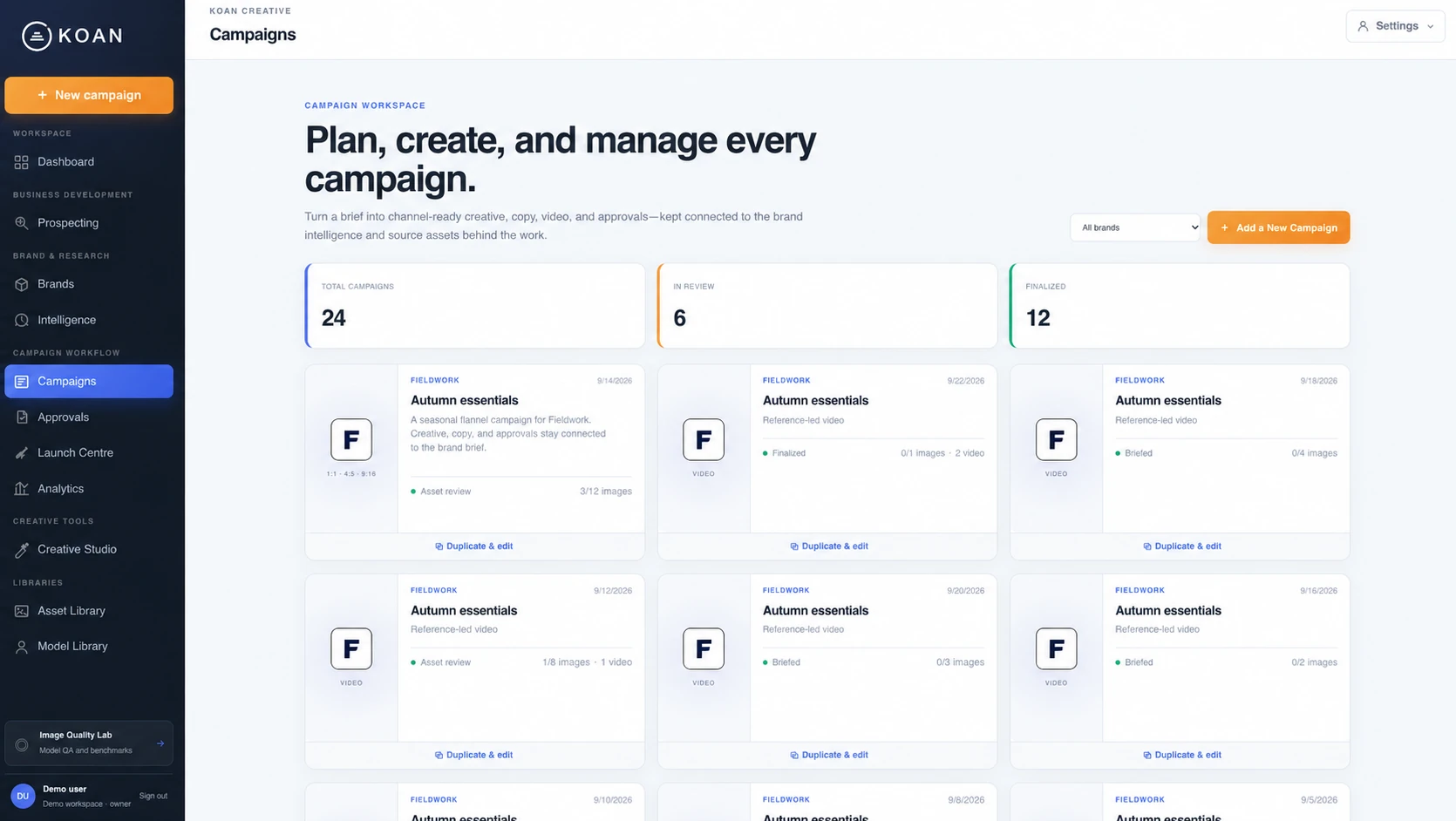

I built Koan around the work I do as an ecommerce agency owner: building campaigns, managing each brand’s assets and voice, creating images and video, getting client approvals, publishing to Meta and making decisions from client data.
I wanted those steps to connect. I also wanted to do more of the creative work without depending on a growing stack of expensive tools. Koan is the workspace I use to bring that day-to-day work together.
Jesse Watts Founder, Koan · Ecommerce agency ownerA product launch can mean separate creative tools, scattered asset folders and a trail of client messages. The gaps between those steps become your job.
Create and edit images, make video and develop copy inside Koan. Handle more of the everyday creative work in one place.
Keep brand assets and campaign work organized together, so returning to a client doesn’t mean reconstructing where you left off.
Give clients one review link with the work in context. Keep approval decisions and change requests alongside the campaign.
Inspect the creative behind the numbers, research the competitive landscape and use that evidence to shape your next test.
A brand’s voice informs the creative. The creative gets reviewed in context. The ad goes to Meta. The results help you decide what to make next.
Keep each client’s voice, audience, assets and product details available when you build. Reuse favourite campaign packages as templates.
Create images, video and copy variations around the same brief. Keep the assets with the campaign instead of moving them between tools.
Share copy, creative and an ad preview through one review link. See what’s approved and what needs another pass.
Select creatives and copy for Meta publishing, then inspect performance and audience response to plan the next iteration.
Handle everyday image creation, editing and video production inside your campaign workspace. Spend less of the process exporting, finding files and uploading them somewhere else.
Start from references, generate campaign imagery and refine it with AI or practical editing tools. Keep the results ready to use.
Develop clips, choose takes and assemble scenes without rebuilding the campaign brief in a separate video tool.
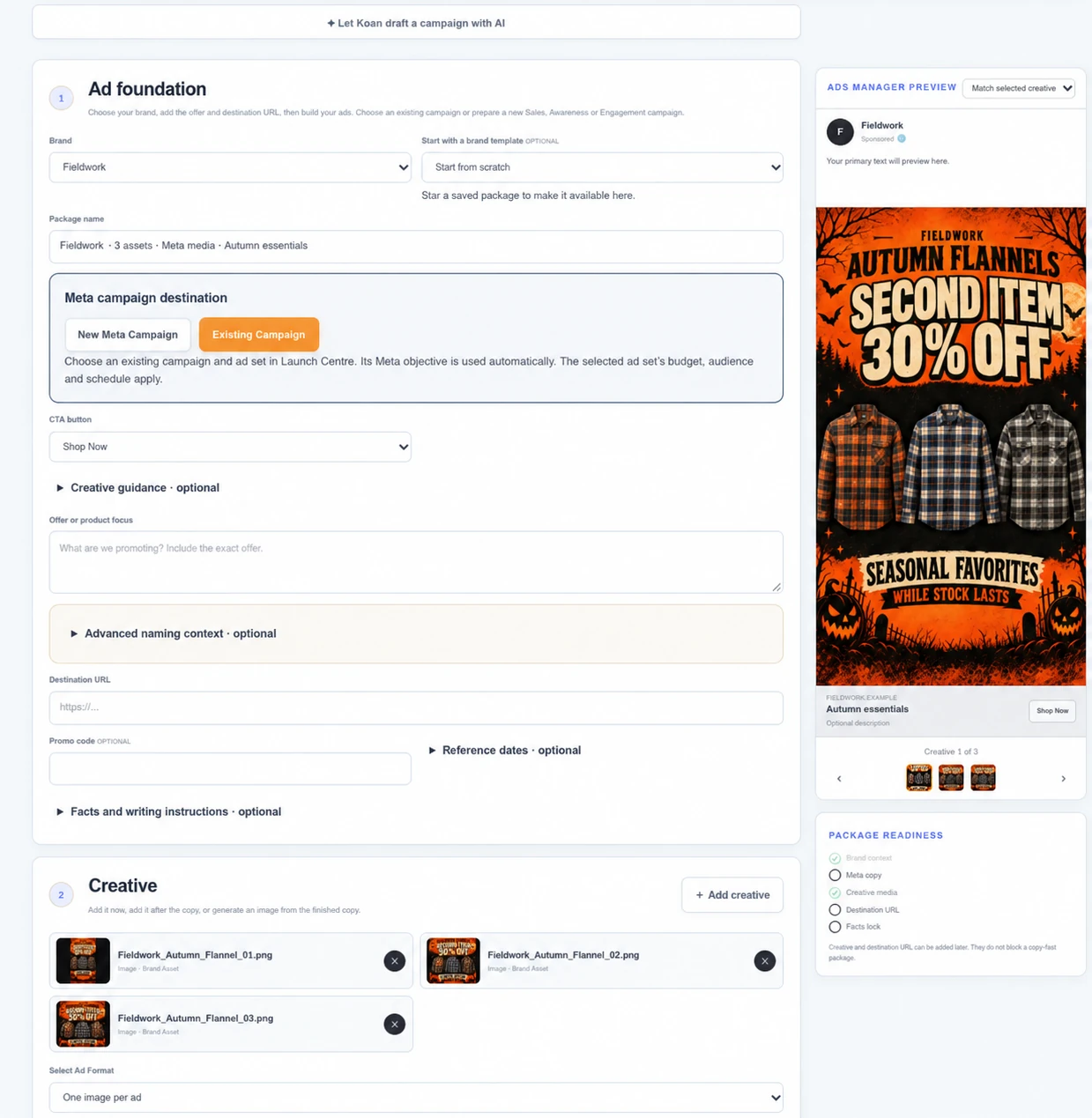
Build hooks, angles and variations with the brand in view. Preview the finished ad before asking your client to review it.
Send your client one link with the copy, creative and a visual ad preview. They can approve or explain what needs changing.
You can see the decision alongside the campaign, instead of piecing it together from messages, files and separate versions.
Explore client approvals
Made for your next escape.
Put client performance data next to the creative it describes.
Move from campaign results into an individual ad. Inspect audience breakdowns and comments, then use that evidence to decide what to test, change or keep.
Explore Analytics & Ad InspectorMaintain brand voice, audience context and reusable assets. Bring the right foundation into copy and creative instead of re-entering it for every job.
Explore competitors, positioning and opportunities around a client’s brand. Use the findings to inform the brief and your next creative test.
Work with groups of assets and copy variations. Select media and create multiple paused ads in Meta, or prepare a carousel, from the campaign package.
You stay in control of the decisions. Koan keeps the brand, assets, feedback and evidence close to the work.
See how Koan fits agency workBring your creative, approvals and campaign decisions into one connected workspace.
Request early accessAlready using Koan? Sign in